
Download Animated Screensaver Maker – create screensavers, screensaver creator, image effects, visual effects, desktop animation, custom screensaver, digital art, creative tool
Overview
Animated Screensaver Maker is a utility application designed to empower users with the ability to transform static images into dynamic, visually engaging screensavers. Tailored for individuals seeking a creative outlet on their desktops, the app enables the creation of custom animations using image inputs and built-in visual effects. Its primary purpose is to simplify the process of screensaver development, removing the technical barriers typically associated with digital animation tools. The app targets hobbyists, digital artists, and users who wish to personalize their computing environment with unique visual experiences.
By focusing on ease of use and creative flexibility, Animated Screensaver Maker addresses the common challenge of limited personalization options in standard operating systems. It allows users to apply motion and transformation effects to images, such as simulated water movement, enhancing the visual appeal of their desktops. This functionality is particularly valuable for those who want to showcase personal photos, artwork, or digital designs in a more immersive format. The app fits within the broader ecosystem of desktop customization tools, offering a lightweight alternative to complex multimedia software.
Developed by Joe C. Jones, the application reflects a focused approach to utility development, emphasizing accessibility and immediate results. While the developer did not provide additional technical details about the development process or background, the app’s design suggests a strong emphasis on user experience. Real-world use cases include personal desktop customization, digital art displays, and creative experimentation with image animation. The app’s compact size and dedicated functionality make it a practical tool for users seeking a no-frills solution to enhance their computing environment.
Key Features & Functionality
- Intuitive Interface: The app features a streamlined layout that guides users through the screensaver creation process with minimal steps. Even users without prior experience in animation can navigate the tool effectively, making it accessible to a broad audience.
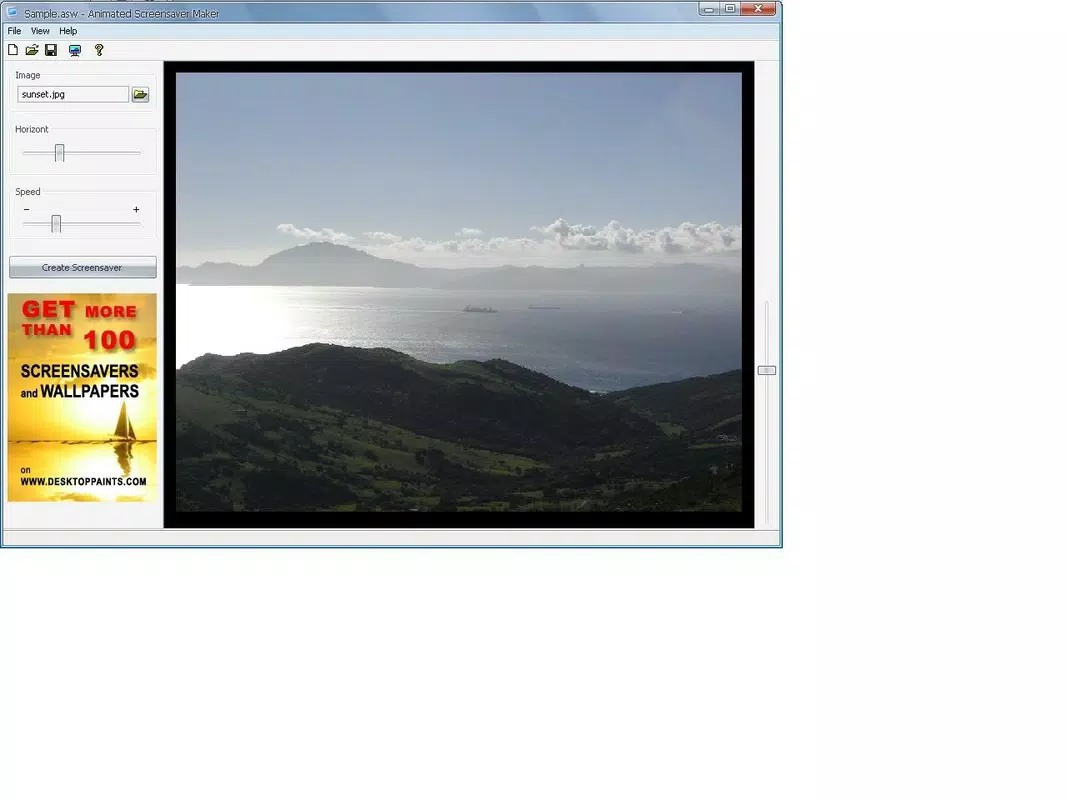
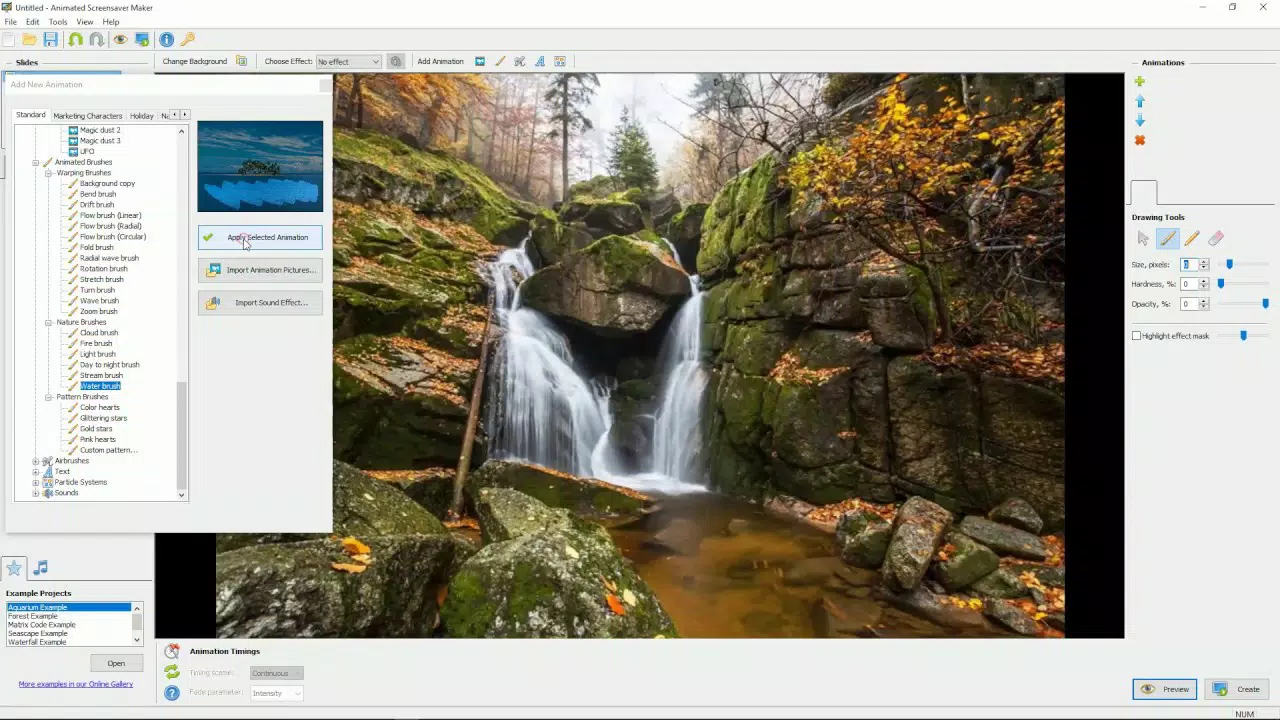
- Customizable Visual Effects: Users can apply dynamic effects such as moving water to images, with options to adjust the starting point and intensity of the effect. This level of control allows for precise tailoring of the animation to match desired visual outcomes.
- Image-Based Animation: The tool supports the use of personal images as the foundation for screensavers, enabling users to animate their own photos, illustrations, or digital artwork without requiring external assets.
- Quick Activation Workflow: Once a screensaver is created, users can activate it through standard system settings by selecting the file in the screensaver tab. This seamless integration with the operating system reduces friction between creation and usage.
- Personalized Desktop Experience: The app empowers users to craft unique visual displays that reflect their individual style, turning routine desktops into dynamic, engaging spaces.
For example, a user could take a photograph of a mountain landscape and apply a flowing water effect to a river in the image, creating a subtle yet captivating animation. Another user might animate a digital painting with gentle motion to simulate a dreamlike atmosphere. These real-world applications demonstrate how the app transforms passive visuals into active, immersive content, enhancing the user’s daily interaction with their device.
Interface, UX & Performance
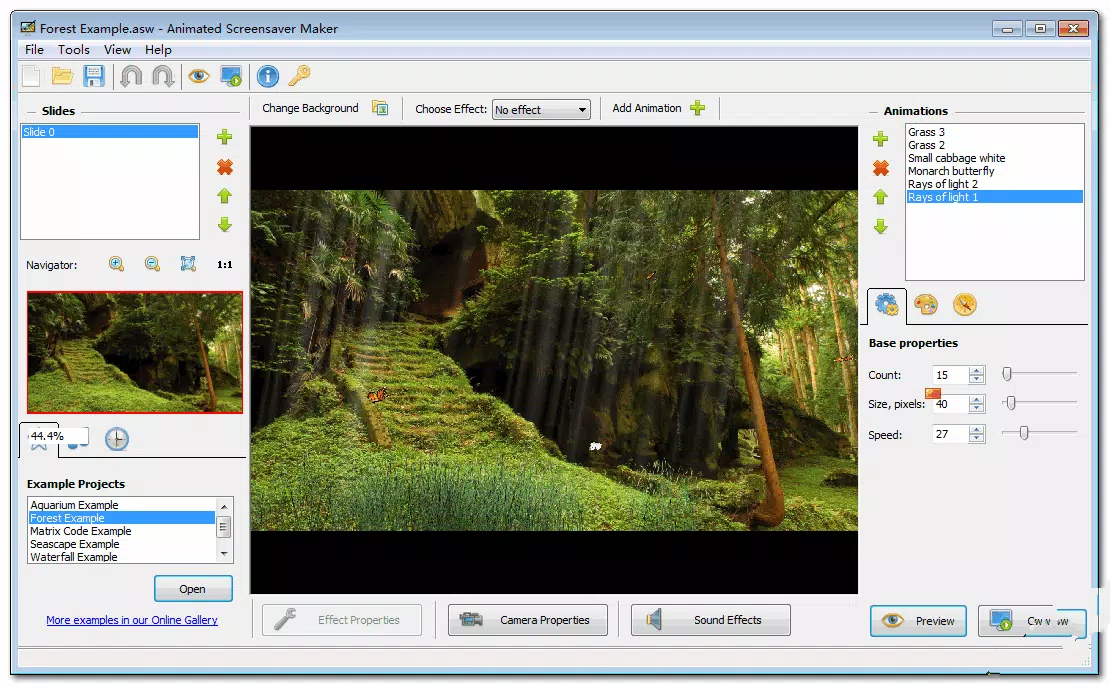
Animated Screensaver Maker presents a clean and minimalistic user interface, designed to prioritize functionality over visual clutter. The layout organizes key tools and options in a logical sequence, allowing users to progress from image import to effect application and final export with clear visual cues. Navigation is straightforward, relying on standard controls such as buttons, sliders, and dropdown menus, which are consistent with common desktop software patterns.
Although the developer did not list formal performance metrics, the app’s compact size of 12.5 MB suggests efficient resource usage. Users can expect smooth operation on modern Windows systems, with minimal impact on system performance during both creation and playback. The responsiveness of the interface appears to be optimized for real-time preview adjustments, allowing users to see changes to effect intensity and placement instantly.
Stability during use is likely to be high, given the app’s focused scope and lack of complex dependencies. However, compatibility with older or low-spec systems may vary, as specific requirements were not listed. The app’s performance on different device categories remains unverified, but its lightweight nature indicates broad potential accessibility. Overall, the user experience is designed to be frictionless, encouraging experimentation and iterative refinement without technical frustration.
Platform Compatibility & Technical Requirements
Animated Screensaver Maker is available exclusively for the Windows platform. The current software version is 1.0, with a file size of 12.5 MB. This indicates a lightweight, focused application that does not require extensive system resources to install or run.
The developer did not specify minimum OS requirements or compatibility details beyond the platform. As such, users should ensure their Windows system meets standard baseline criteria for running desktop applications. Compatibility with future Windows updates or alternative operating systems was not disclosed. No information was provided about hardware acceleration, GPU requirements, or background processes.
Given the app’s limited scope and size, it is likely to function on most modern Windows devices, including laptops, desktops, and tablets running Windows 10 or later. However, users should exercise caution when installing on older systems, as performance and stability may be affected without clear guidance.
Pros and Cons
Pros
- Simple, intuitive interface suitable for beginners and non-technical users
- Enables creative personalization of desktop environments through custom animations
- Lightweight design with minimal system resource usage
- Offers customizable visual effects with real-time preview capabilities
- Quick and seamless activation process via standard system settings
Cons
- Compatibility limited to Windows systems only
- Created screensavers require the app to be installed on target devices
- Specific system requirements were not disclosed
- No information on update frequency or future feature roadmap
- Limited to image-based animations without support for video inputs
FAQ
Is Animated Screensaver Maker free to download?
The app is available for a one-time purchase of $4.99. There is no free version or trial period mentioned in the provided information.
Can I use my own photos as the base for screensavers?
Yes, the app allows users to import personal images to animate, enabling the creation of custom screensavers based on their own photos or digital artwork.
Do I need to install the app on every computer where I want to use my screensavers?
Yes, screensavers created with Animated Screensaver Maker are tied to the app’s file format and require the application to be installed on the target system for playback.
Is the app safe to install on my Windows device?
Based on the provided information, the app is developed by Joe C. Jones and distributed through official channels. However, users should always verify the source and use up-to-date antivirus software when installing third-party applications.
Will Animated Screensaver Maker work on older versions of Windows?
The developer did not specify minimum OS requirements. While the app may function on older systems, compatibility is not guaranteed without further details.
Final Thoughts
Animated Screensaver Maker stands out as a focused, accessible tool for users who want to add dynamic visual flair to their desktops without technical complexity. Its combination of a user-friendly interface, customizable effects, and straightforward activation makes it ideal for hobbyists, digital artists, and anyone seeking to personalize their computing experience. While the app’s limitations—such as platform exclusivity and the need for installation on each device—should be considered, they are balanced by its simplicity and creative potential.
For those looking to transform static images into captivating animations, this app delivers a compelling value proposition. It’s a secure, lightweight utility that brings creative freedom to everyday users. Whether used for personal enjoyment or to showcase digital art, Animated Screensaver Maker offers a practical and engaging way to enhance your desktop environment.
Download Animated Screensaver Maker now


